6 Best AI Music Generator Websites in 2026 (Real Audio Examples)
Compare the best AI music generator websites in 2026, hear three real prompt-to-song examples, and choose the right tool for vocals, beats, and video.
AI music generators are no longer just loop makers. The best tools in 2026 can turn a short prompt into a complete song, follow supplied lyrics, build a soundtrack around a scene, or give producers editable material for a larger session.
Our quick answer: UniMusic AI is our best overall pick for beginners and content creators who want the shortest path from a prompt or lyrics to a complete, shareable song. Suno remains a strong choice for rapid vocal-song ideation, Eleven Music offers the deepest combination of editing and API access, Udio is especially useful for reference-led iteration, and Stable Audio is the most production-oriented option in this list. For video creators who need dialogue, ambience, music, and effects in one sound scene, Seed Audio 1.0 solves a different—and often more practical—problem.
This guide was last reviewed on August 26, 2026. Product features and licensing terms change quickly, so always check the current plan and terms before using generated music commercially.
The best AI music generators at a glance
| Website | Best for | Standout capability | Main consideration |
|---|---|---|---|
| UniMusic AI | Fast prompt-to-song creation | Text-to-music and lyrics-to-music in one simple browser workflow | Confirm the license attached to your plan and generation |
| Suno | Rapid songs with vocals | Accessible song creation, remixing, and a large sharing community | Free-plan outputs are non-commercial under Suno's current help guidance |
| Eleven Music | Editing, multilingual vocals, and API workflows | Section editing, audio references, inpainting, and programmatic generation | Commercial scope varies by plan and use case |
| Udio | Style- and voice-led iteration | Styles, Voices, and the Sessions timeline editor | Some advanced controls are subscriber-only; uploaded audio must be yours to use |
| Stable Audio | Producers, sound design, and audio-to-audio | Long-form generation, inpainting, continuation, and a DAW-oriented workflow | More production-focused than a one-click social song maker |
| Seed Audio 1.0 | Soundtracks inside complete audio scenes | Generates dialogue, ambience, BGM, and sound effects together | Best for scene audio rather than a conventional standalone song release |
How we chose the winners
There is no single “best” AI music website for every creator. We evaluated the tools around six practical questions:
- Can a beginner get a useful first result from a short prompt?
- Can the tool create a complete musical arc rather than an endless loop?
- How well can you control lyrics, vocals, structure, instrumentation, and duration?
- Can you revise part of a track without starting over?
- Are downloads, commercial use, and ownership terms understandable?
- Does the workflow fit a real destination—social video, streaming demo, ad, game, film, or production session?
We also used three supplied UniMusic examples to show how very short prompts can expand into full-length results. The other comparisons below are based on each product's current official documentation and public feature pages, not on marketing screenshots alone.
1. UniMusic AI — best overall for simple prompt-to-song creation
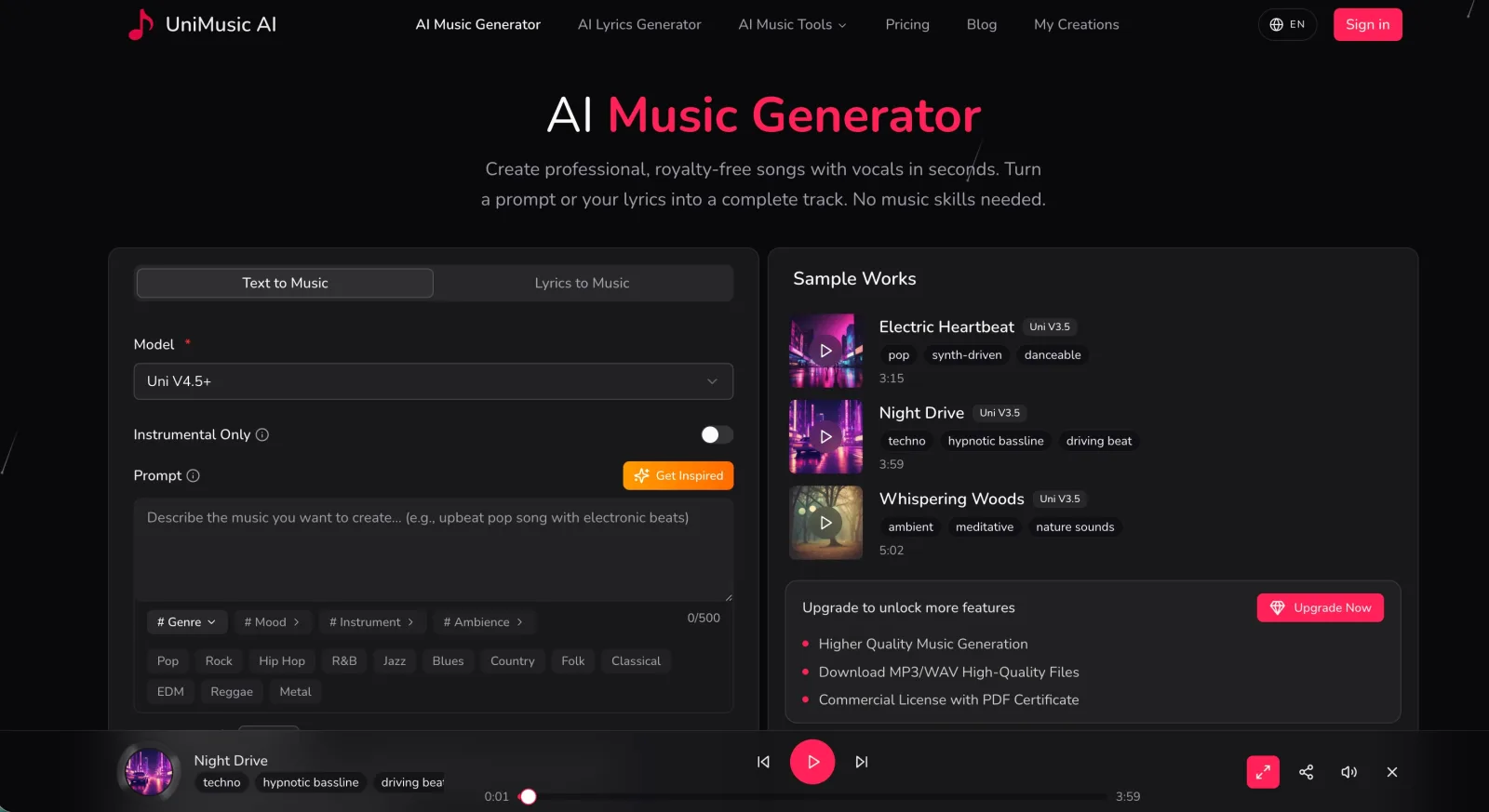
UniMusic AI puts text-to-music and lyrics-to-music side by side. You can describe a genre, mood, instrument set, or ambience; choose whether the result should be instrumental; and generate a complete track without arranging a timeline manually. Its current product page also presents MP3/WAV downloads and commercial licensing as paid-plan features.
That straightforward flow is why UniMusic is our best overall recommendation for a beginner, marketer, or video creator who wants to move from an idea to a listenable song quickly. It has fewer visible production decisions than a DAW-oriented tool, which is an advantage when speed matters.
Real audio example: Electric Heartbeat
Prompt: Modern pop song with catchy chorus
Length: 3:15
This is a useful test for song-level structure. Listen for whether the chorus feels distinct from the surrounding sections, whether the hook returns consistently, and whether the vocal and instrumental energy rise together.
Real audio example: Night Drive
Prompt: Techno dance track with driving beat
Length: 4:00
A techno prompt tests rhythmic continuity more than lyrical storytelling. The important questions are whether the kick and bass stay focused, whether transitions add momentum, and whether the track can evolve without losing its central pulse.
Real audio example: Whispering Woods
Prompt: Ambient meditation music with nature sounds
Length: 5:02
Ambient music exposes a different weakness: abrupt changes are much more noticeable when the arrangement is sparse. Listen for smooth texture changes, believable placement of nature sounds, and enough variation to hold attention without breaking the meditative mood.
Choose UniMusic if: you want a clean web interface, full-song results, prompt and lyric modes, and a low-friction workflow for content or early demos.
2. Suno — best for fast vocal-song ideation and sharing
Suno remains one of the most accessible ways to turn a concept, lyric, melody, or mood into a finished-feeling song. It is particularly good for creators who want to generate many vocal-song directions quickly, compare hooks, and share results inside an active music community.
Its speed is also the main temptation to resist: the first polished output is not necessarily the final creative decision. Better results usually come from testing several prompt variations, rewriting the chorus yourself, and keeping notes on which arrangement choices actually support the song.
Commercial rights require attention. Suno's current rights guidance says songs made while subscribed to a paid plan receive commercial-use rights, while its ownership guidance describes free-tier songs as non-commercial. Commercial permission is not the same thing as guaranteed copyright protection in every country.
Choose Suno if: your priority is quickly exploring complete songs with vocals, lyrics, remixes, and community feedback.
3. Eleven Music — best for editing, multilingual vocals, and API access
Eleven Music is the strongest choice here when a finished generation is the beginning of the workflow rather than the end. Music v2 supports natural-language generation, multilingual vocals, audio references, section-level editing, inpainting, and long-form composition. The official Music documentation describes tracks from three seconds up to ten minutes and lets creators adjust sections, lyrics, styles, and duration.
It also has the clearest developer story in this comparison. The Music API accepts either a prompt or a more detailed composition plan, making it suitable for products that need generated music inside a repeatable pipeline.
The tradeoff is complexity and licensing nuance. ElevenLabs offers broad commercial options, but exclusions and plan differences matter—especially for film, television, large games, streaming distribution, and enterprise work. Read the current music terms for the exact destination of your project.
Choose Eleven Music if: you need to revise specific sections, work across languages, guide a track with reference audio, or generate music programmatically.
4. Udio — best for reference-led iteration
Udio is compelling for musicians who prefer to shape a song through references and successive edits. Its Styles feature can use one or two source tracks to guide a new song's instrumentation, tempo, structure, and overall color. Its Voices feature can reuse a voice from the Udio library or an eligible song, while Sessions provides a timeline for editing and extending tracks.
This makes Udio a better fit for iterative exploration than for a one-click “give me anything” workflow. The restrictions are important: uploaded audio must be content you have the right to use, some creations based on uploads cannot be published on Udio, and several advanced features depend on the subscription tier.
Choose Udio if: you think in terms of style references, alternate takes, extensions, and controlled iteration.
5. Stable Audio — best for producer workflows and sound design
Stable Audio is the most producer-oriented platform in this ranking. Stability AI's current Stable Audio 3.0 prompt guide covers full music, individual instruments and stems, samples, sound effects, audio-to-audio variations, inpainting, and continuation. Its web experience supports iterative direction and multitrack editing, while its plugin is designed to bring generated material into an active DAW workflow.
The official API documentation currently describes up to six-minute, 44.1 kHz stereo generation for Stable Audio 3.0. Stability AI also says its Stable Audio models are trained on licensed data, which is an important consideration for production teams evaluating provenance.
Stable Audio is less focused on social discovery or instant artist identity. It shines when you want a bass part, transition, texture, alternate section, or editable source material that will continue through a conventional production process.
Choose Stable Audio if: you already work with a DAW or need music, stems, samples, and sound design in one production-oriented toolkit.
6. Seed Audio 1.0 — best when music is only one layer of the scene
Most tools in this guide generate music as the final object. Seed Audio 1.0 is different: it is designed around a complete sound scene. A single brief can coordinate dialogue, character delivery, ambience, background music, and timed sound effects.
That makes it especially useful for short dramas, ads, games, podcast openings, product videos, and previsualization. Instead of generating a song, finding ambience elsewhere, recording dialogue in another tool, and mixing everything manually, you can describe how the layers should interact in one timeline.
Seed Audio is not our first recommendation for releasing a conventional standalone pop single. It is the stronger option when music must support a voice, location, story beat, or sound effect. The Seed Audio prompt guide shows how to structure those layers and map reference audio.
Choose Seed Audio 1.0 if: you are creating sound for video, narrative, advertising, games, or any scene where music has to work with speech and effects.
Which AI music generator should you choose?
- Choose UniMusic AI for the simplest route from a short prompt or lyrics to a complete song.
- Choose Suno for rapid vocal-song exploration and a large sharing ecosystem.
- Choose Eleven Music for detailed editing, multilingual work, and API integration.
- Choose Udio for style references, voice continuity, and iterative song development.
- Choose Stable Audio for DAW-friendly production, audio-to-audio, stems, and sound design.
- Choose Seed Audio 1.0 when the deliverable is a complete sound scene rather than music alone.
For any commercial project, save the prompt, generation date, plan receipt, downloaded license or certificate, and the exact version of the terms that applied when you created the track. Do not upload music, vocals, or reference recordings unless you have the right to use them.
A better prompt formula for AI music
Short prompts are excellent for speed, but a reusable production prompt should usually include:
Purpose + genre + tempo + instrumentation + mood + structure + vocal direction + production texture + ending
For example:
A 45-second electronic product-launch track at 124 BPM. Punchy four-on-the-floor drums, warm analog bass, bright arpeggiated synth, confident and futuristic mood. Instrumental. Start minimal, introduce the hook at 12 seconds, create a short breakdown at 30 seconds, and end with a clean logo hit.
If the music belongs inside a larger scene, add the voice, ambience, and sound-event timeline too. You can put that prompt formula to work in UniMusic AI.
Final verdict
The best AI music generator website in 2026 depends on what you plan to publish. UniMusic AI is our best overall starting point for straightforward prompt-to-song creation, especially for beginners and content creators. Eleven Music is the strongest editing and API choice, Udio excels at guided iteration, Stable Audio fits professional production, and Suno remains exceptionally fast for vocal-song ideas. When the real job is a video or narrative scene rather than a standalone track, Seed Audio 1.0 is the more complete audio workflow.
Start with the destination, not the model. A catchy song, a reusable production stem, and a fully mixed sound scene are three different deliverables—and the right website is the one built for yours.